Choose a source
A signal source is associated with an exchange and connection state.
Pnlee is a personal product connecting trading signals, entry settings, open positions and a crypto journal. Users can inspect controls, protection and operation history in one workspace.
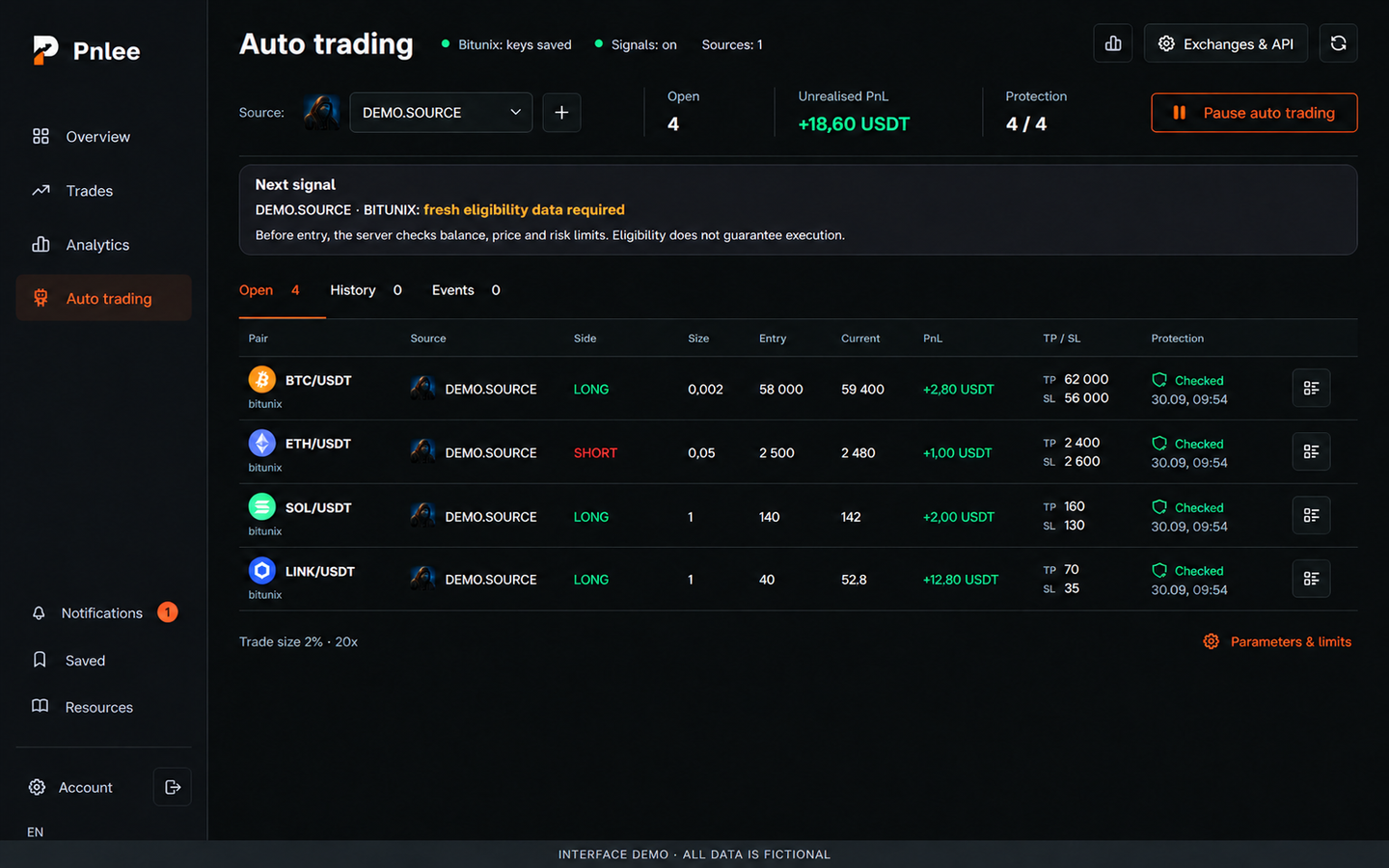
Connect the signal source, risk settings, execution and monitoring. Let users see open positions, check protection and review each operation's history.
Each position has an original signal, settings and a sequence of events behind it. The workspace needs to connect them, expose protection status and explain which settings apply to new entries and which limits affect the connection.
A signal source is associated with an exchange and connection state.
Trade size, leverage and limits apply to new entries.
The table combines direction, size, prices, TP / SL and protection status.
An expanded position connects operation events with the source message.
The first screen shows the source, connection states and a position summary. Size, prices, PnL, protection levels and check status appear together in the table. History and events belong to the same workspace, while pausing auto trading requires confirmation of the action.
An expanded row reveals position events, protection levels and the original signal text. Users can compare operation parameters with the source message. This makes the relationship between signal and position visible in the interface; the demonstration history uses entirely fictional values.
New-entry parameters are separate from existing positions. The same area shows the daily limit and restrictions of the Bitunix pilot connection, including server execution state. This explains the future actions affected by the settings; showing the connection does not confirm that live execution is available.
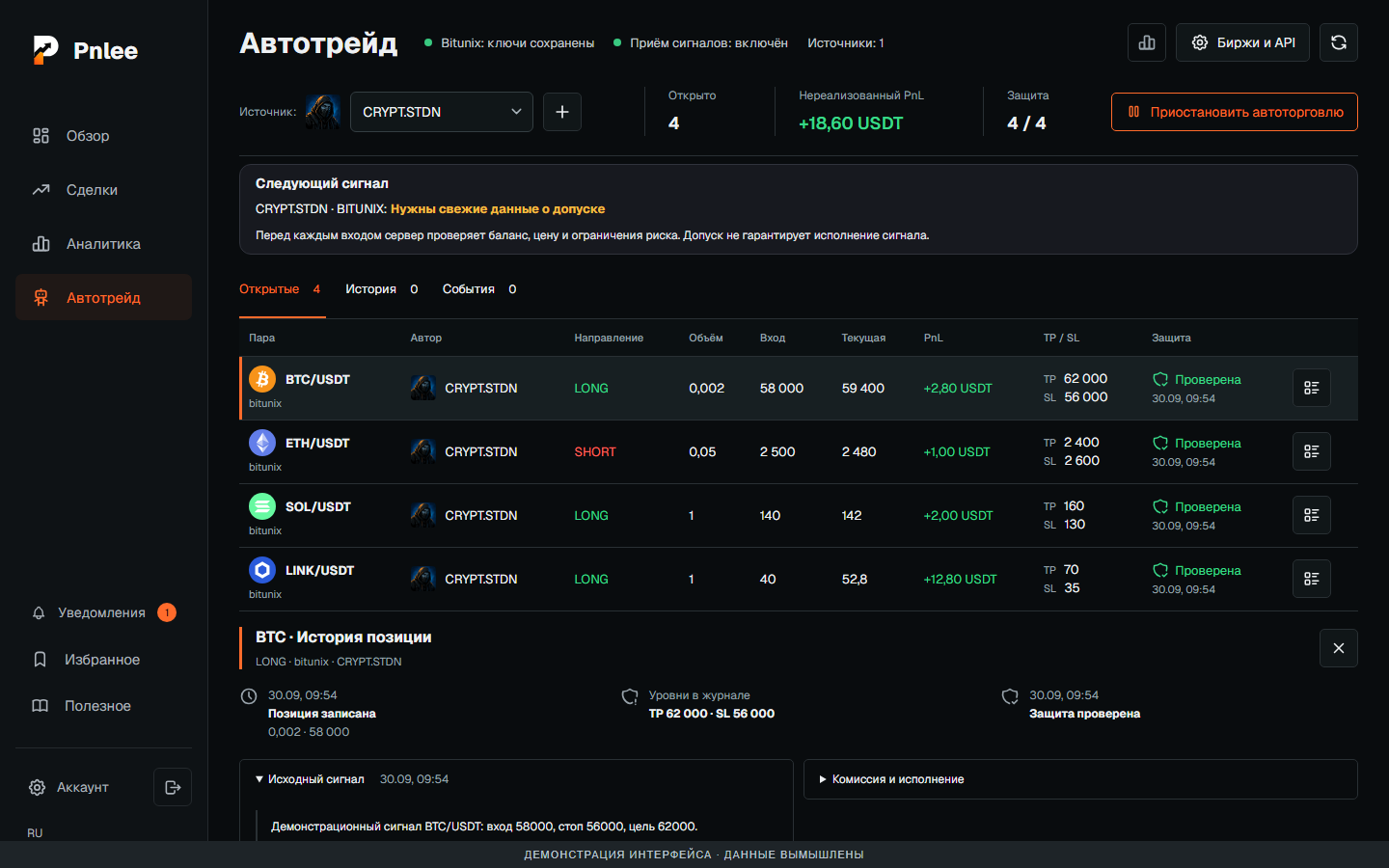
The expanded section connects position events, TP / SL levels and the original message. This is the original Russian interface; positions, prices and signal text are fictional demonstration data.
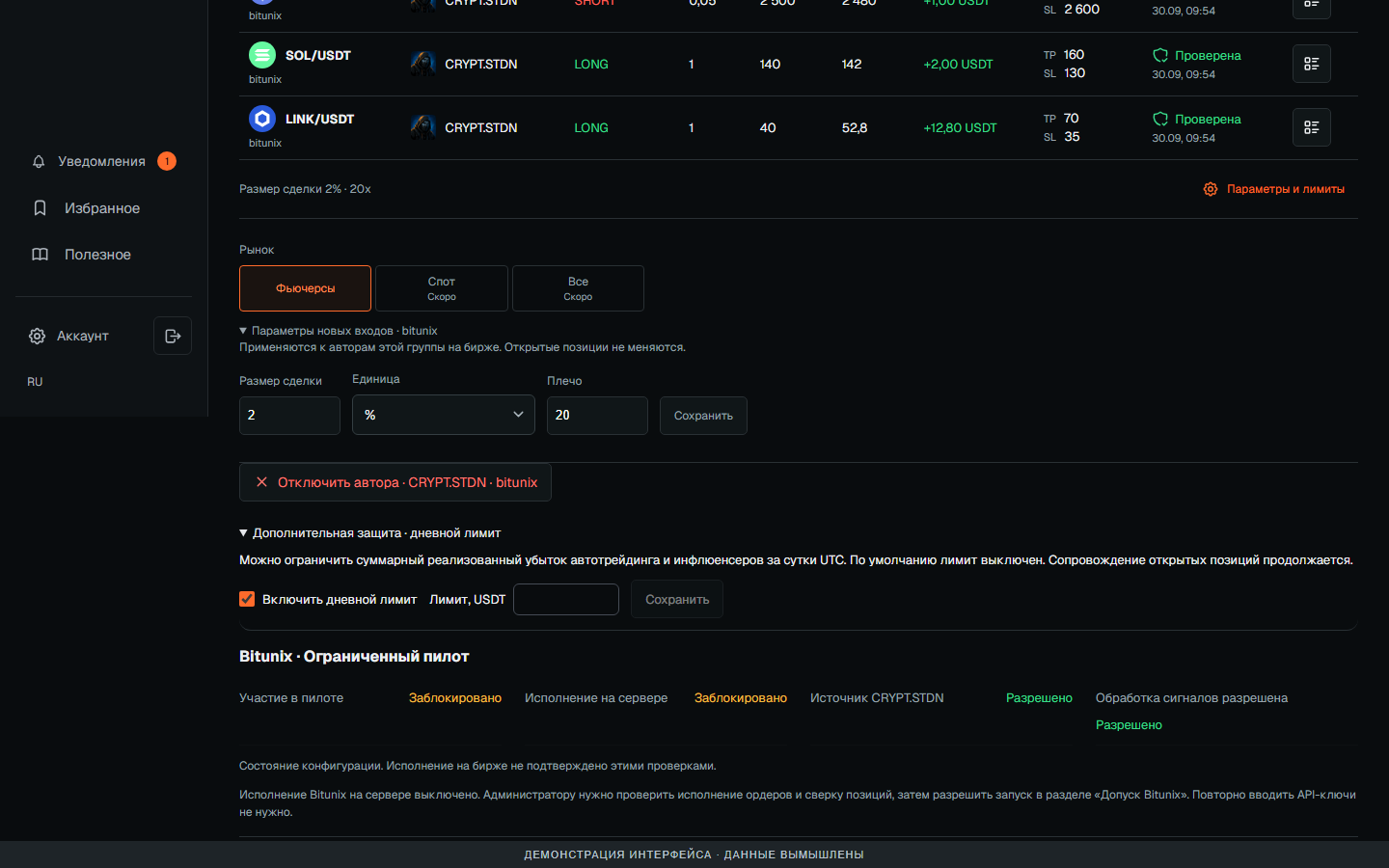
The panel explains that trade size and leverage apply to new entries. A daily limit and restricted Bitunix pilot status sit beneath. This original Russian interface uses mocked exchange requests; no real keys or orders are involved, and server execution is shown as blocked.
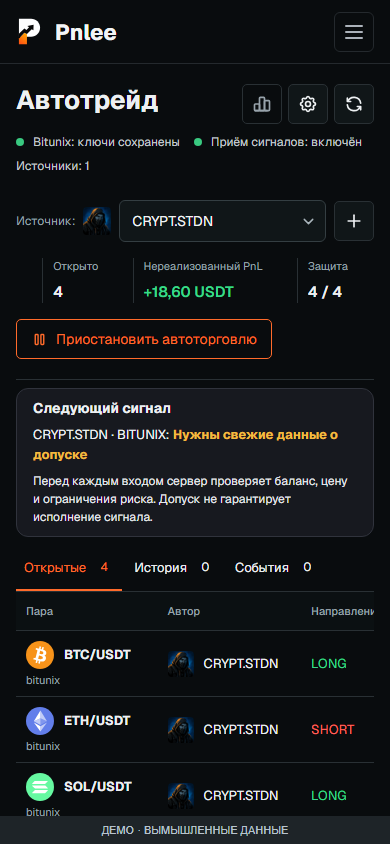
At 390 px, the overview, source selection and position data remain available. This is the original Russian responsive interface from the local product, using fictional data.
Developed a personal product with a crypto journal, auto trading interface and connection management. The portfolio shows the current local interface with fictional positions and mocked exchange requests. It makes no return claims and does not verify live Bitunix execution.
Discuss a similar projectUseful for automation workspaces that need future-action settings, current-state monitoring and a traceable history from the source event onward.
Visit the project ↗This personal project is shown publicly. All screenshots use the current local interface with fictional data. Bitunix illustrates a pilot connection interface and does not confirm live execution availability. No returns are claimed.
 Next case studyWB and Ozon seller workspace